
Smart TV Apps
Install IBO Player on Samsung & LG Smart TVs
IBO Player is one of the most powerful IPTV players designed for Smart TVs. It combines a clean, modern interface with lightning-fast performance, offering a smooth and enjoyable streaming experience on Samsung, LG, and Android devices.
Why Choose IBO Player?
🎯 User-Friendly Interface – Simple navigation and an intuitive layout for all users.
⚡ Fast & Stable – Optimized for smooth playback, even with large playlists.
📺 Multi-Device Support – Works on Samsung, LG, Android, Windows, and more.
🔁 Xtream & M3U Support – Fully compatible with Xtream Codes and M3U playlists.
🔒 Secure & Ad-Free – Focus only on your entertainment, without annoying ads.
In short:
IBO Player transforms your Smart TV into a full IPTV hub — allowing you to enjoy live channels, VOD, and series in HD and 4K with zero buffering.
Installing Iboplayer on Samsung TV
Installing Iboplayer on LG TV
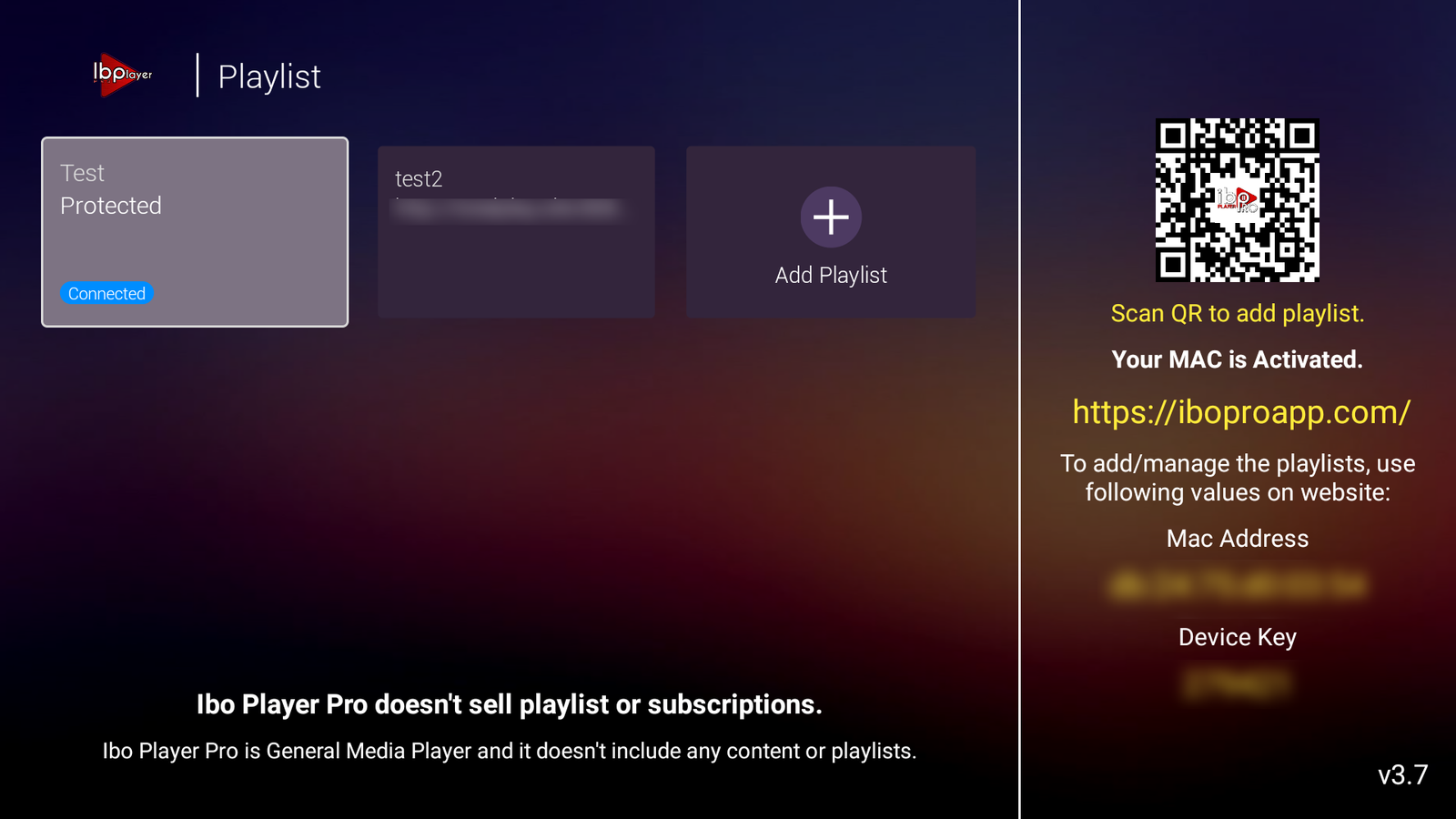
After Installing IBO Player Pro
Setup instructions for adding your IPTV playlist
Please send us your MAC Address and Device Key so we can add your IPTV playlist.
Where to find them
- Open the app — on the main screen you’ll see:
- MAC Address
- Device Key
App Activation
IBO Player Pro is a general media player and includes no content or playlists.
